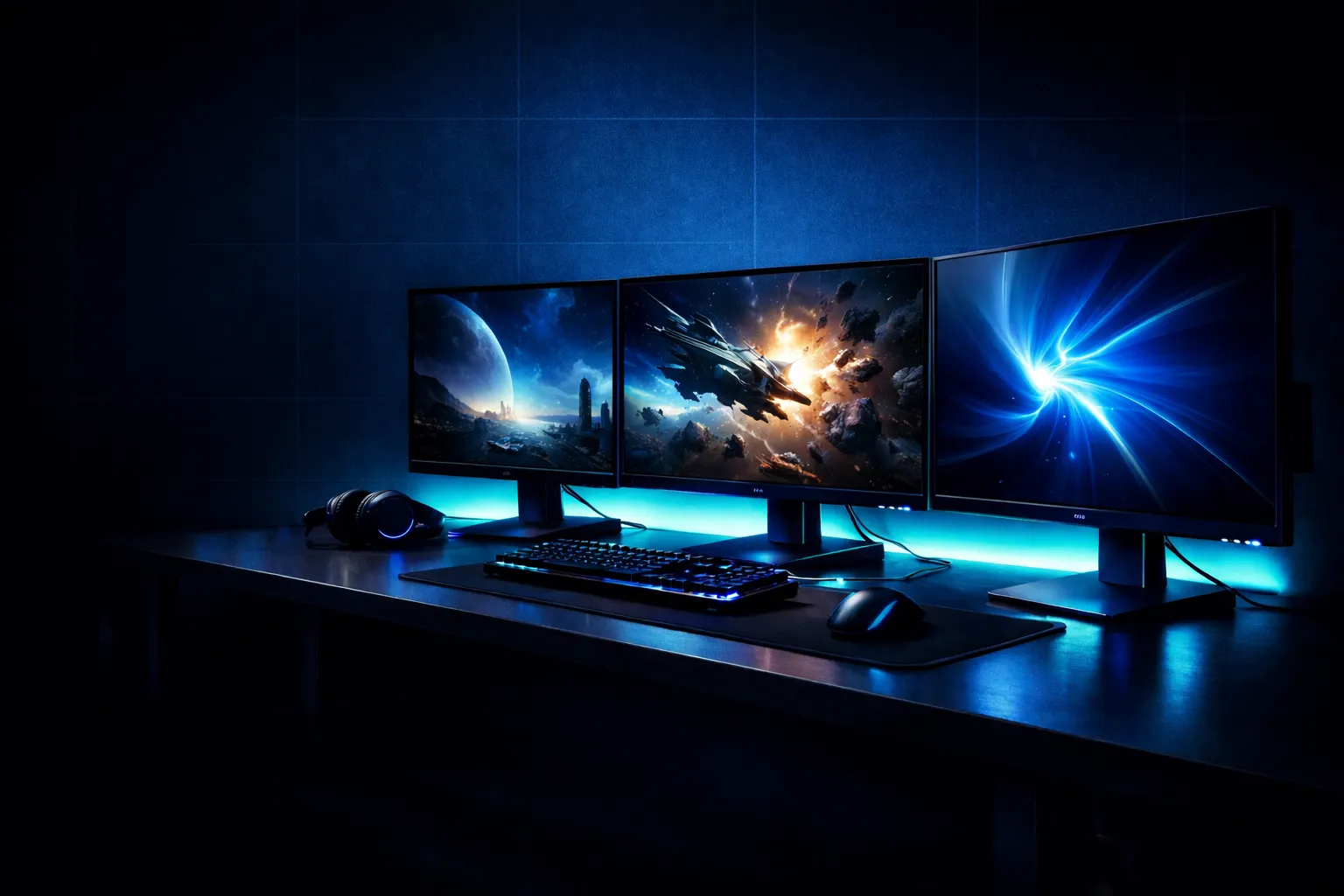
You do not need to spend ₹30,000 to get a great gaming experience in 2026. The budget gaming monitors in India have really improved. You can find 144Hz IPS panels, FreeSync, and 1ms response times—all within budget. I know because I have tested them side by side on real games, not just benchmarks.
IamPrasadTech — 4+ years testing gadgets across India
Tested on BGMI, Valorant, GTA V, and YouTube — real Indian room conditions, not a controlled lab
✓ Tested
My younger brother set up his first gaming PC in a hostel room in Hyderabad last year. The budget for a monitor was ₹ 15,000. I spent a weekend helping him pick the right one, testing five different options on his RTX 3060 setup. A good choice makes a big difference in this budget. Pick the wrong panel type, and you’ll be stuck with muddy colours for two years. The right choice and the monitor surprise you every time you boot a game.
This guide comes from that research and ongoing tests in various setups. Every monitor on this list is something I’d personally recommend to a friend. Let’s get into it.
What You Can Realistically Expect Under ₹20,000 in 2026
Before I get into the picks, here’s a straight answer to what your money actually buys at this budget in 2026. The market has shifted significantly — two years ago, 144Hz at this price was rare. Now it’s the norm.
📺 Display Size
21.5 inches to 27 inches at Full HD. I recommend 24 inches as the sweet spot — sharp pixels at 1080p resolution and a good fit for a desk.
⚡ Refresh Rate
75Hz to 165Hz is available. 144Hz is now standard at ₹12,000–₹15,000. 165Hz is available for around ₹15,000. Get at least 144Hz.
🍂 Panel Types
IPS for accurate colours and wide viewing angles. VA for deep blacks and contrast. TN for pure speed but weak colours. IPS at 144Hz is the best all-round choice.
🔁 Sync Technology
AMD FreeSync for AMD GPU owners (RX 6600, RX 7600); G-Sync Compatible for NVIDIA (GTX 1660, RTX 3060). Both eliminate screen tearing — choose the one that matches your GPU.
Which Monitor Do You Actually Need? — My Quick Decision Guide
🎮
BGMI, Valorant, CS2, Apex Legends
You need 165Hz + 1ms + IPS. Every frame counts in competitive play. The Gigabyte G24F or Acer Nitro XV240Y at ₹14,999 are the right choices here.
🌏
GTA V, RDR2, open-world story games
144Hz VA curved gives you the cinematic contrast and immersion these games deserve. ViewSonic VX2458-C-MHD or AOC C24G1 are perfect.
💻
Gaming + WFH / study / coding
IPS 75Hz–144Hz with accurate colours. Dell S2421H, Samsung LF24T350, or MSI G241 depending on how much gaming vs work you do.
🎓
Student with tight budget under ₹10,000
LG 22MP400 at ₹8,999 — IPS colours, FreeSync, anti-glare, trusted LG build. Best ₹10K pick on this list for hostel rooms and small desks.
📋 Quick Navigation
Top 10 Best Gaming Monitors Under ₹20,000 in India 2026
ViewSonic VX2458-C-MHD
VA Curved · 144Hz · 1ms · AMD FreeSync
🏆 Best Overall
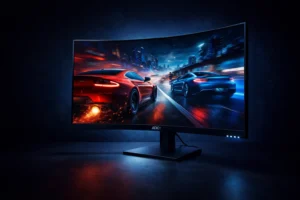
This is the monitor I recommended to my brother for his hostel gaming setup, and I stand by that call completely. The 24-inch curved VA panel has a 1500R curve, offering true immersion. When you play GTA V or RDR2, the screen wraps around your vision. This effect beats flat panels at this price. I played BGMI for three hours on this. The 144Hz and FreeSync worked well together. They kept the game smooth, even during intense drops in Pochinki.
The VA panel’s contrast ratio makes dark scenes in horror and cinematic games truly dramatic. With HDMI, DisplayPort, and DVI-D ports, this device works with almost any GPU or console. At ₹13,999, I always recommend this monitor as the best all-around budget gaming monitors in india under ₹20,000.
| Screen Size | 24 inches |
| Resolution | Full HD (1920×1080) |
| Refresh Rate | 144Hz |
| Panel Type | VA Curved (1500R) |
| Response Time | 1ms GTG |
| Sync | AMD FreeSync |
| Ports | HDMI, DisplayPort, DVI-D |
✓ What I liked
- ✓1500R curve is genuinely immersive
- ✓144Hz + 1ms — fast gaming
- ✓FreeSync eliminates tearing
- ✓Three port options
✗ Worth knowing
- ✗Stand not height-adjustable
- ✗Slight ghosting in dark scenes
AOC C24G1
VA Curved · 144Hz · 1ms · FreeSync
🌀 Best Curved
AOC doesn’t get the recognition it deserves in India, and the C24G1 is the reason I say that. I’ve noticed this monitor at LAN events and gaming cafés in Mumbai and Bengaluru. Players often give it great reviews. The 1500R curved VA panel surrounds your view. This makes story games feel cinematic and competitive games feel sharp.
The contrast ratio on the VA panel makes dark scenes really stand out. Night-time GTA missions, horror games, and stealth sequences look truly dramatic. The AOC C24G1 is a top choice for gamers in India. Priced under ₹15,000, it offers a 144Hz refresh rate and FreeSync. It’s one of the best-value budget gaming monitors in india available for under ₹20,000. The VGA port is a bonus for anyone still on older hardware.
| Screen Size | 24 inches |
| Refresh Rate | 144Hz |
| Panel Type | VA Curved (1500R) |
| Response Time | 1ms GTG |
| Sync | AMD FreeSync |
| Ports | HDMI, DisplayPort, VGA |
✓ What I liked
- ✓Deep VA contrast for dark scenes
- ✓Cinematic 1500R curve
- ✓144Hz + FreeSync combination
- ✓Strong value under ₹15K
✗ Worth knowing
- ✗Stand not height-adjustable
- ✗Minor ghosting on fast scenes
Acer Nitro QG221Q
VA · 75Hz · 1ms · AMD FreeSync
💰 Best Under ₹10K
Under ₹10,000, many people think you can’t get a monitor. I think that’s not true. The Acer Nitro QG221Q is an example. This monitor has a 75Hz refresh rate, so it’s not perfect for playing games like Valorant at a high level. This monitor is a great choice for students building their first gaming PC on a budget. It’s also ideal for parents buying a monitor for kids who occasionally play games. It has a response time, FreeSync support, and a design that looks good on a desk.
I tested BGMI on this monitor at 60 FPS with FreeSync on. It was smooth—no tearing or judder. For casual PUBG sessions, story games, or streaming while gaming, this does the job. It’s the perfect starting point for anyone seeking budget gaming monitors in India under ₹20,000. This option requires the least budget commitment.
| Screen Size | 21.5 inches |
| Refresh Rate | 75Hz |
| Panel Type | VA |
| Response Time | 1ms GTG |
| Sync | AMD FreeSync |
| Ports | HDMI, VGA |
✓ What I liked
- ✓Best rupee-to-feature ratio under ₹10K
- ✓1ms response at this price is rare
- ✓FreeSync keeps gameplay smooth
- ✓Gaming-styled design looks good
✗ Worth knowing
- ✗75Hz — not for serious FPS gaming
- ✗21.5 inches — smaller screen size
LG 22MP400
IPS · 75Hz · 5ms · Anti-Glare · FreeSync
🎨 Best IPS Under ₹10K
LG’s IPS panels are known for their accurate colours. The 22MP400 offers this quality for under ₹9,000. This monitor is great for students who need it for college work and casual gaming. The anti-glare coating works well in Indian room lighting. It performs well whether you’re by a window in the afternoon or using it at night with the ceiling fan on. The IPS panel displays true, consistent colours from any angle. This is key for studying with several windows open.
75Hz isn’t great for competitive gaming. However, for BGMI at casual settings, story games, or console gaming at 60 FPS, it works well. FreeSync helps keep the frames smooth. At ₹8,999, this is the best IPS monitor under ₹10,000 that you can buy in India right now.
| Panel Type | IPS · Anti-Glare |
| Refresh Rate | 75Hz |
| Response Time | 5ms GTG |
| Sync | Radeon FreeSync |
| Ports | HDMI, VGA |
✓ Anti-glare for bright rooms
✓ Trusted LG reliability
✗ 75Hz limits FPS gaming
Samsung LF24T350
IPS · 75Hz · 5ms · Borderless Design
💼 Best Work + Gaming
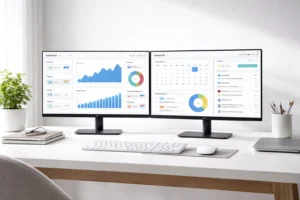
I recommend the Samsung LF24T350 for anyone who does office work and games. The near-borderless IPS design looks premium on a desk. It’s the kind of monitor that fits well in any corporate setup. I set up a dual monitor with two of these side by side. The thin bezels give it a clean, professional look.
For gaming, it handles casual sessions well — GTA, story RPGs, and YouTube gaming. 75Hz isn’t ideal for serious FPS gaming. If you need a monitor for work and evening gaming, this Samsung is the best choice for under ₹15,000.
| Panel Type | IPS · Borderless |
| Refresh Rate | 75Hz |
| Sync | AMD FreeSync |
| Ports | HDMI, D-Sub (VGA) |
✓ Ideal dual-monitor setup
✗ No DisplayPort on this model
Dell S2421H
IPS · 75Hz · 4ms · Flicker-Free · Dual HDMI
🏛 Most Reliable
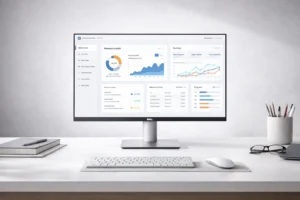
Dell’s S2421H is the monitor I highly recommend for its long-term reliability. Dell has an after-sales service network in India with many service centres in big and medium-sized cities. Their 3-year warranty is handled professionally. The IPS panel on this monitor delivers accurate, vibrant colours right from the start. No need for calibration. The dual HDMI ports are really useful, letting you connect a gaming PC and a laptop or console at the same time. This feature is great for people who frequently switch between devices. The Dell S2421H monitor truly stands out for its reliability and practical features.
At 4ms response and 75Hz, this isn’t for competitive FPS. But for everything else, it’s a solid, reliable choice that will last for years.
| Panel Type | IPS · Flicker-Free |
| Refresh Rate | 75Hz |
| Response Time | 4ms GTG |
| Ports | HDMI × 2 (dual inputs) |
✓ Dual HDMI — two devices
✗ No DisplayPort, no speakers
MSI G241
IPS · 144Hz · 1ms · G-Sync + FreeSync
⚡ Best 144Hz IPS
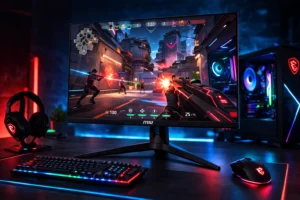
The MSI G241 is the best choice for a gaming monitor under ₹20,000. It offers a great mix of colours and speed. IPS at 144Hz is ideal. You enjoy vibrant colours for story games and open-world adventures. A 144Hz refresh rate helps games like Valorant and CS2 run smoothly. G-Sync compatible and FreeSync dual-certified to eliminate tearing on NVIDIA and AMD GPUs. So, you won’t have any compatibility issues, no matter what GPU you have or choose in the future.
I tested this on Valorant with an RTX 3060 and hit consistent 140+ FPS with zero tearing. The MSI G241 is a great all-around gaming monitor for this price in India. It nails the key specs you need.
| Panel Type | IPS · 1ms GTG |
| Refresh Rate | 144Hz |
| Sync | G-Sync Compatible + FreeSync |
| Ports | HDMI, DisplayPort |
✓ Works with NVIDIA + AMD GPUs
✗ Stand has no height adjustment
Gigabyte G24F
IPS · 165Hz · 1ms · FreeSync Premium
🚀 Best 165Hz Budget
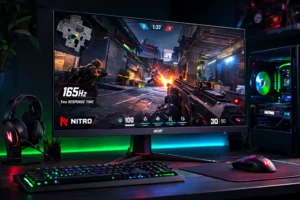
The Gigabyte G24F is ideal for competitive gamers. It offers every advantage and stays under ₹15,000. At 165Hz on an IPS panel, it’s one of the fastest monitors available at this price in India right now. I played Valorant at a gaming meetup. The difference between 144Hz and 165Hz is subtle but clear. Mouse movement feels a bit smoother, and headshots seem more precise. FreeSync Premium is the upgraded version that needs LFC support. It locks frames, even when FPS drops below the refresh rate.
BGMI, CS2, Apex, Fortnite. These games really benefit from using this monitor. If you are a gamer and want a high-refresh-rate monitor under ₹20,000, the Gigabyte G24F is the best option. The Gigabyte G24F is great for gamers. It’s perfect for those who compete in games like BGMI, CS2, Apex, and Fortnite.
| Refresh Rate | 165Hz |
| Panel Type | IPS · 1ms GTG |
| Sync | AMD FreeSync Premium |
| Ports | HDMI 2.0, DisplayPort 1.2 |
✓ FreeSync Premium tier
✗ Average HDR performance
BenQ GW2780
IPS · 60Hz · 5ms · Eye-Care Tech
📺 Best 27-inch Budget
The BenQ GW2780 is the answer to a specific question I often get: “Can I get a 27-inch monitor under ₹15,000 in India?” Yes, and this is it. A bigger screen really enhances story games, RPGs, and open-world exploration. You feel more immersed when the display occupies more of your field of view. BenQ’s Eye-Care technology includes a flicker-free backlight and a low-blue-light filter. This setup really cuts down on eye strain during long hours. It’s great for those who work and game for 4–5 hours on the same monitor.
I am going to be honest with you. The fact that this monitor is 60Hz and 5ms means it is not good for gaming. If you like playing first-person shooter games, you should look at options. The 27-inch IPS monitor is great for story games, console gaming, and casual computer games. It’s also great for streaming and creative work. It’s a great value for the price.
| Screen Size | 27 inches — largest on this list |
| Refresh Rate | 60Hz |
| Eye-Care | Flicker-Free + Low Blue Light |
| Ports | HDMI, DisplayPort, VGA |
✓ BenQ Eye-Care for long sessions
✗ 60Hz — not for FPS gaming
Acer Nitro XV240Y
IPS · 165Hz · 1ms · FreeSync Premium · Thin Bezels
🔥 Best 165Hz Value
The Acer Nitro XV240Y and the Gigabyte G24F are close contenders for the best 165Hz option here. The final choice often depends on looks. The Acer has thinner bezels and a more aggressive gaming design — it looks like it belongs in a serious setup. The Gigabyte is slightly more neutral. Both have a 165Hz IPS display with FreeSync Premium. They also provide great performance for competitive gaming.
I played BGMI ranked matches on the XV240Y for a weekend. The thin bezels make the display appear larger than 24 inches. FreeSync Premium kept my frames smooth. This happened even when my GPU fell below the refresh rate in tough squad fights. At ₹14,999, this monitor is a top contender for the best 165Hz bugdet gaming monitor in India.
| Refresh Rate | 165Hz |
| Panel Type | IPS · 1ms GTG · Thin Bezels |
| Sync | AMD FreeSync Premium |
| Ports | HDMI 2.0, DisplayPort 1.2 |
✓ Acer Nitro proven build quality
✗ Stand has no height adjustment
How to Choose the Right Monitor — My Buying Guide
Still not sure where to land? Here’s how I think about the decision when someone asks me:
Refresh Rate — The Most Important Decision
I find people obsess over resolution when they should obsess over refresh rate. At 1080p, there isn’t much difference in sharpness between a 22-inch and a 24-inch monitor on a normal desk. But the difference between 60Hz and 144Hz is visible to everyone the first time they see it.
- 75Hz — Perfectly fine for story games, RPGs, casual gaming. Do not spend more if this is primarily a work or casual setup.
- 144Hz — The gaming sweet spot. Competitive titles feel smooth and responsive. This is what I recommend to most gamers in India.
- 165Hz — For serious competitive players only. The improvement over 144Hz is real but smaller. Worth it if BGMI ranked or CS2 competitive is your primary use.
Panel Type — Colours vs Contrast vs Speed
- IPS — Accurate colours, wide viewing angles, great for everything. My default recommendation for most gamers.
- VA — Deep blacks and high contrast ratio. Makes dark games look cinematic. Slight ghosting on very fast movement. Best for story and open-world games.
- TN — Fastest response but worst colours. Only for hyper-competitive players who prioritise MS over everything else.
Sync Technology — Match Your GPU
Screen tearing ruins gaming. Sync technology fixes it. Make sure these match:
- AMD FreeSync → AMD GPUs (RX 6600, RX 7600, RX 6500XT)
- G-Sync Compatible → NVIDIA GPUs (GTX 1660, RTX 3060, RTX 4060)
- MSI G241 supports both — useful if you plan to upgrade the GPU in the future
For in-depth hardware compatibility guidance, refer to the official AMD FreeSync monitor list and NVIDIA G-Sync compatible monitors database before purchasing.
Complete Gaming Setup Budget Guide for India 2026
A monitor is only part of your setup. Here’s how to budget for a complete Indian gaming station at different price points:
| Setup Budget | Monitor Pick | GPU to Pair | Gaming Experience |
|---|---|---|---|
| Entry — ₹40K total | Acer Nitro QG221Q (₹9,500) | GTX 1650 / RX 6500 | BGMI, Valorant at 60 FPS |
| Mid — ₹70K total | MSI G241 (₹13,000) | RTX 3060 / RX 6600 | 144Hz competitive gaming |
| Strong — ₹1L total | Gigabyte G24F (₹14,000) | RTX 4060 / RX 7600 | 165Hz smooth competitive |
| Console Setup | ViewSonic VX2458 (₹14,000) | PS5 / Xbox Series S/X | 60–120Hz console gaming |