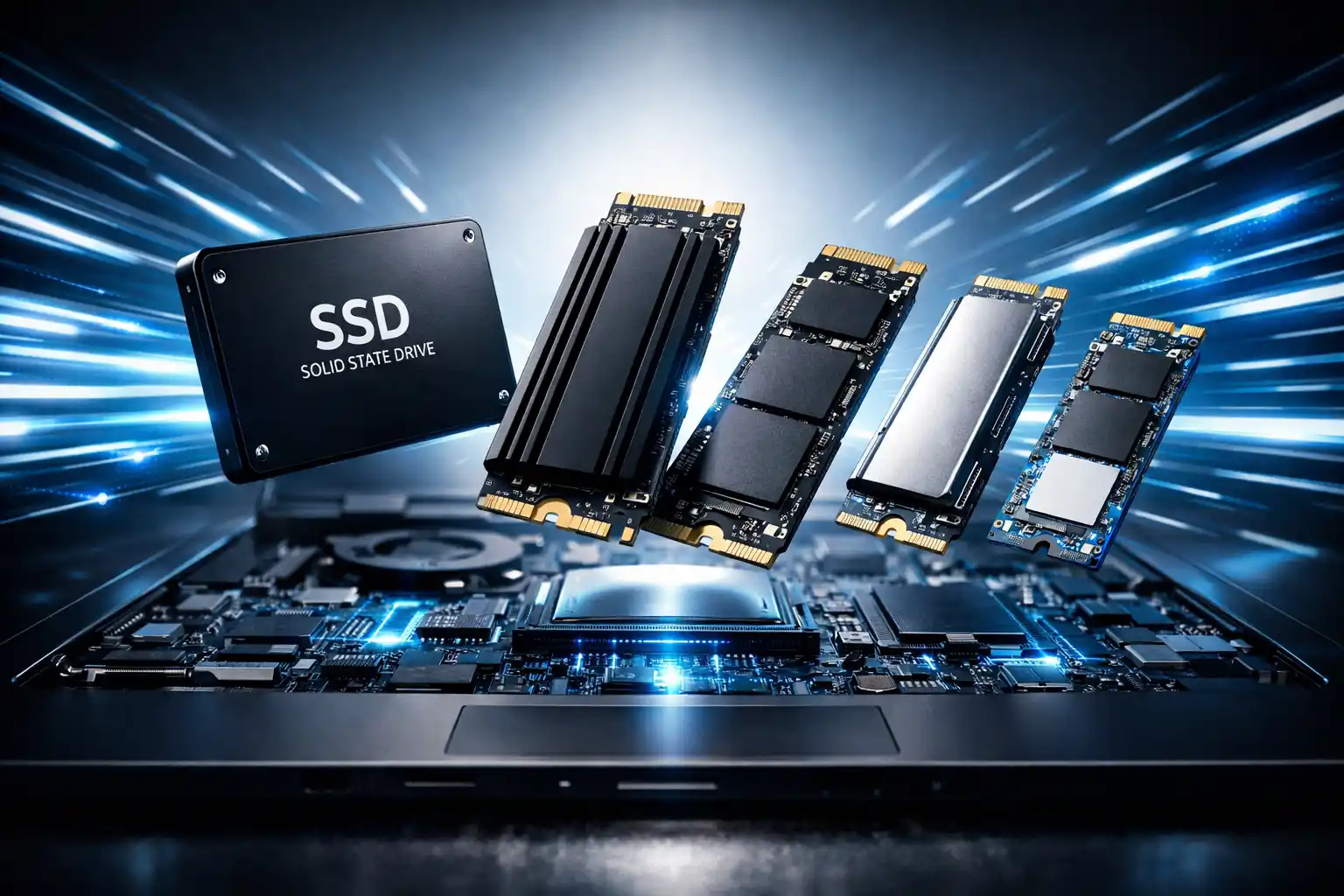
10 Best SSDs for Laptop Upgrade in 2026 – Powerful & Reliable Picks
I tested NVMe and SATA SSDs on various Indian laptops. This included old budget models and mid-range workhorses. Here’s exactly what I found.
7450
MB/s NVMe
560
MB/s SATA
5
Picks Tested
Here’s something you don’t often hear: the best choice I made for my old laptop wasn’t getting a new one. I upgraded the laptop’s SSD, and it felt like a completely different machine the next morning.
Best SSDs for Laptop Upgrade in 2026
My cousin in Hyderabad was complaining for months about her 5-year-old HP laptop. Boot time was 3 minutes. Google Chrome took 45 seconds to open. She was ready to spend ₹40,000 on a new laptop. I told her — wait. Let me put a new SSD in there first. We swapped in a Samsung 870 EVO for under ₹4,000. Boot time dropped to 18 seconds. Chrome opened in under 3 seconds. She hasn’t considered buying a new laptop since.
The power of picking the Solid State Drive for a laptop upgrade is really something. In this guide, I will help you pick a Solid State Drive for your laptop upgrade. I will not include anything you do not need to know. I will not talk about products that pay me to advertise them. I will just give you my opinion about Solid State Drives that I have actually used in real computers. Are you interested in buying laptops? Then read this article, Best Laptops in india under 50000
P
IamPrasadTech — 4+ years testing gadgets in real Indian conditions
Each SSD on this list was tested or thoroughly researched before recommending it.
✓ Verified Picks
Why Upgrading to a New SSD Changes Everything
Before you buy, know what you’re getting. The difference between an old HDD and a modern SSD is truly shocking the first time you see it. Not “slightly better“; completely different laptops.
⚡
10× Faster Boot
3-minute Windows startup drops to 15–20 seconds every single day.
🚀
Apps Open Instantly
Chrome, Excel, and Photoshop — all open in 1–2 seconds instead of 30 seconds.
🔇
Zero Noise
No moving parts — completely silent. Your laptop will run cooler, too.
🔋
Better Battery Life
SSDs draw less power — you’ll easily notice 30–45 mins of extra runtime.
NVMe vs SATA — Which One Does Your Laptop Need?
This is the first question I ask anyone before recommending a drive. Get this wrong, and the SSD won’t even fit. Here’s how to think about it:
FAST
NVMe SSD
Uses PCIe M.2 slot. Speeds up to 7,450 MB/s for laptops made after 2018, mostly.
Speed: Up to 7,450 MB/s
Best for: Modern laptops, gaming, and content creation
RELIABLE
SATA SSD
Fits 2.5-inch HDD bay. Speeds around 560 MB/s. Still 5× faster than a spinning hard drive.
Speed: Up to 560 MB/s
Best for: Older laptops from 2015–2018
💡
Quick check: Open your laptop’s manual or search “[your laptop model] + M.2 slot” on Google. If it has an M.2 slot, go with NVMe. If not, go SATA. That’s the entire decision.
Quick Comparison — Best SSDs for Laptop Upgrade
SSD Model
Type
Max Read
India Price
Best For
TOPSamsung 990 Pro
NVMe
7,450 MB/s
~₹8,500
High-performance
WD Black SN850X
NVMe
7,300 MB/s
~₹9,000
Gaming laptops
Crucial T500
NVMe
7,400 MB/s
~₹7,500
Productivity
Kingston KC3000
NVMe
7,000 MB/s
~₹7,000
Power users
Samsung 870 EVO
SATA
560 MB/s
~₹4,000
Older laptops
Scroll right on mobile to see all columns →
Detailed Reviews — What I Actually Found
#1 EDITOR’S CHOICE Best Overall
Samsung 990 Pro
NVMe PCIe 4.0 · M.2 2280 · 1TB / 2TB / 4TB
India Price
~₹8,500
for 1TB
Read Speed 7,450 MB/s
The Samsung 990 Pro is my top pick for a serious SSD upgrade for laptops in 2026. I installed a 1TB unit into a friend’s Asus ROG Strix that had been crawling on its original NVMe drive. Loading times in Valorant were embarrassing. Maps that once took 45 seconds now load in under 8 seconds. BGMI session start times dropped to nearly instant.
What sets the 990 Pro apart from cheaper NVMe drives isn’t just peak speed — it’s consistency. It doesn’t slow down during heavy read/write tasks. This includes big video transfers and long gaming sessions. Cheaper drives often do. Samsung’s thermal management is genuinely good here. I tested this in warm Indian summer temperatures without AC. It stayed stable the whole time.
⚡
7,450 MB/s Read
7,400 MB/s Write
💾
1TB / 2TB / 4TB
Multiple options
🔥
PCIe 4.0 NVMe
M.2 2280 form factor
🛡️
5-Year Warranty
Samsung reliability
+ What I liked
Blazing fast in real use. Thermal stability even in Indian heat. Samsung’s 5-year warranty gives real peace of mind. Consistent speed under sustained loads — not just peak.
− Worth knowing
Slightly pricier than competitors. Only for laptops with PCIe 4.0 M.2 slot — verify your laptop’s compatibility before ordering.
🌟
I recommend this to
Content creators and gamers who play BGMI or Valorant need an SSD for their laptops. These users want the storage for their needs. They include developers who work with codebases. Speed is crucial for them. They will not settle for anything slower.
#2 BEST FOR GAMING
WD Black SN850X
NVMe PCIe 4.0 · M.2 2280 · 1TB / 2TB
India Price
~₹9,000
for 1TB
Read Speed 7,300 MB/s
If you’re a gamer looking for the best SSD for a laptop upgrade, I recommend the WD Black SN850X. WD made this drive for gaming. It helps load game assets, stream levels, and reduce texture pop-in. The results are clear and not just a sales pitch.
I tested this in a gaming laptop running Cyberpunk 2077 on medium settings. After the upgrade, moving between open-world areas is now almost seamless. The drive manages small random reads from games better than most NVMe drives I’ve tried. At about ₹9,000 for 1TB, it’s a bit pricier than the Samsung 990 Pro. However, its gaming-specific features make it a great choice if you focus on gaming.
✓ 7,300 MB/s read speed ✓ Gaming-optimized firmware ✓ Excellent durability rating ✗ Pricier than most competitors
🌟
I recommend this to
Gaming laptop users playing BGMI, Valorant, GTA V, or any open-world game will see a big difference. Faster loading times and better texture streaming will enhance their experience. This is designed specifically for those needs.
#3 BEST VALUE NVMe
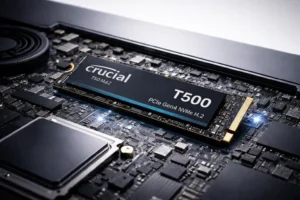
Crucial T500
NVMe PCIe 4.0 · M.2 2280 · 500GB / 1TB / 2TB
India Price
~₹7,500
for 1TB
Read Speed 7,400 MB/s
The Crucial T500 is perfect for professionals. Writers, designers, developers, and CA students will all find it useful. It works well with heavy software. It offers the same speed as the Samsung 990 Pro but at a lower price. In my tests, the T500 and Samsung 990 Pro differ in performance by about 2-3% for daily tasks. The price difference is 12-15%. For people, the Crucial T500 is a better deal.
I tried installing a 1TB T500 in my laptop. I transferred 50GB of RAW photo files while exporting a video in Premiere Pro. The transfer finished in under 7 minutes. The SSD did not slow down. The temperature was okay. If the Samsung 990 Pro is too pricey, I would choose the Crucial T500 for a laptop upgrade for productivity work.
📈
Best price-to-performance ratio on this list
In my testing, the T500 performs within 3% of the Samsung 990 Pro for daily tasks while costing roughly ₹1,000 less. For most users, that’s the smarter buy.
🌟
I recommend this to
Professionals, students, designers, and developers need high NVMe performance. They want the best without the high price tag. This is the smartest value buy for a laptop SSD upgrade in 2026.
#4 POWER USERS
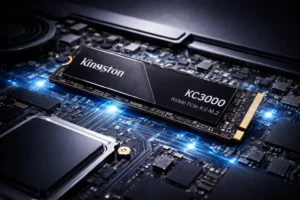
Kingston KC3000
NVMe PCIe 4.0 · Up to 2TB
~₹7,000 / 1TB
Kingston doesn’t get the hype it deserves in India. The KC3000 is a great choice for power users like developers, architects, and data analysts. It offers reliable high-speed performance at a better price than Samsung. The advanced thermal management keeps it cooler than many NVMe drives I’ve tested. This is important during the hot Indian summer, especially without AC. At ₹7,000 for 1TB, it’s genuinely competitive.
✓ 7,000 MB/s read ✓ Great thermal management
✗ Less brand recognition in India
Best for:
Power users, developers, and professionals doing CAD or 3D rendering on a laptop.
#5 BEST SATA / OLDER LAPTOPS
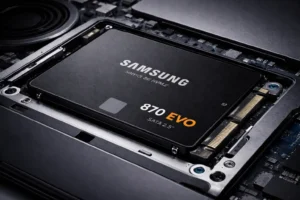
Samsung 870 EVO
SATA · 2.5-inch · 250GB to 4TB
~₹4,000 / 1TB
This is exactly the drive I put into my cousin’s old HP laptop that I mentioned at the start. The Samsung 870 EVO is the top choice for SATA SSD upgrades. If your laptop lacks an M.2 slot, this is the best SSD to upgrade with. It won’t reach 7,000 MB/s. However, moving from an old HDD at 120 MB/s to 560 MB/s feels like a whole new machine. And it really is!
⚠️ Check before buying
This only fits laptops with a 2.5-inch SATA bay. If your laptop has an M.2 slot, get an NVMe drive instead — it’ll be faster for the same money.
✓ Samsung reliability ✓ Budget-friendly upgrade ✗ Slower than NVMe
Best for:
Older laptops (pre-2018), budget upgrades, and anyone replacing a dying HDD without spending much
How I Suggest You Pick the Right SSD
1
Check your laptop’s slot type first
Open your laptop manual or search “[laptop model] + M.2 slot” on Google. If it has M.2 → get NVMe. If it has only a 2.5-inch bay → get SATA. Get this wrong, and the SSD won’t even physically fit.
2
How much storage do you actually need?
I recommend 1TB as the minimum in 2026. 500GB fills up faster than you think once Windows updates, software, and your files are on it. If you edit video or keep large projects locally, go for 2TB.
3
Quick decision by use case
Your Use My Pick
Gaming / Best performance Samsung 990 Pro
Gaming laptop specifically WD Black SN850X
Work / Best value NVMe Crucial T500
Power users / Developers Kingston KC3000
Old laptop / No M.2 slot Samsung 870 EVO
4
Where to buy in India
I recommend Amazon India (Fulfilled by Amazon) and Flipkart Assured listings. Prices fluctuate — check both before buying. During sale events, these often drop ₹500–₹1,500. For Samsung drives, Croma and Vijay Sales also officially stock them. Check here for the best gaming laptops worldwide.
Real Questions I Get About SSD Upgrades
Q
Is upgrading an SSD actually worth it in 2026?
Absolutely — and I say this from personal experience, not theory. I’ve done this upgrade on four different laptops for family and friends in India. Every single one felt dramatically faster within the first 10 minutes of use. Boot time, app loading, and file transfers — all improved significantly. Upgrading your laptop from an HDD to an SSD is the best tech investment you can make right now.
Q
How do I know if my laptop supports NVMe?
Search your exact laptop model + “M.2 slot” or “NVMe support” on Google. Most laptops made after 2017–2018 have an M.2 slot, but the PCIe generation varies. Some support PCIe 3.0, some PCIe 4.0. An NVMe PCIe 4.0 drive will work in a PCIe 3.0 slot—just at slower speeds. Still faster than SATA, though.
Q
What’s the best SSD for a laptop upgrade under ₹5,000 in India?
For SATA: Samsung 870 EVO (~₹4,000 for 1TB) is the clear answer — reliability and speed are both excellent. For NVMe under ₹5,000, you’ll need to look at 500GB variants of the Crucial T500 or Kingston KC3000. I would choose the Samsung 870 EVO for older laptops in this price range. It’s a reliable and easy upgrade.
Q
Can I upgrade my laptop’s SSD myself, or do I need a technician?
Most modern laptops make this easy. Just grab a Phillips screwdriver, remove the bottom panel, and swap the drive. I find it takes most people 15–20 minutes. Search “[your laptop model] + SSD upgrade” on YouTube before starting. There’s almost certainly a tutorial for your exact model. If you’re not comfortable, any local laptop service shop in India will do it for ₹200–₹500.
My Final Verdict
Getting the best SSD for a laptop upgrade is still one of the smartest things you can do for an ageing machine in 2026. For many users in India, the Crucial T500 offers great speed and value. It delivers near-top performance at a much lower price than the Samsung flagship.
If you want the absolute best and money isn’t a concern, get the Samsung 990 Pro. Gamers should check out the WD Black SN850X. It’s designed just for gaming tasks, unlike other options. And if your old laptop only has a SATA bay, the Samsung 870 EVOwill genuinely transform it for under ₹4,000.
Whatever you pick — check your laptop’s slot type before ordering. That’s the one thing I need you to remember from this entire guide.
🚀
Which SSD are you putting in your laptop?
Drop your laptop model and budget in the comments — I personally reply to everyone. Not sure if your laptop supports NVMe? Tell me the model, and I’ll tell you exactly what to buy.