I know how it feels to search Google for a good photo editing app for beginners in India. You often find only listicles that recommend Adobe Lightroom for ₹800 a month. I’m not going to do that to you. All the apps in this guide are truly free, and you don’t need a credit card. I’ve used each one myself before I recommended them.
IamPrasadTech — 4+ years testing gadgets and apps across India
Tested on real Indian content — Reels, Instagram posts, wedding photos, and product shots for small businesses
✓ Real Tested
My cousin has a small saree business in Hyderabad. She spends ₹1,500 each month on a photo editor to improve her product shots for Instagram. I sat with her for two hours. We installed two apps from the list. Since then, she hasn’t used her paid subscription. That’s the kind of real-world value a good photo editing app for beginners can deliver.
I have a recommendation for you. It fits your specific situation, whether you edit travel photos or make Reels. Maybe you touch up phone portraits, or you work on product photos for a small business. Let’s explore it.
What I Looked for When Testing These Apps
I’ve seen too many “free” apps that lock every useful feature behind a paywall. I specifically excluded anything that functions as a demo. Here’s what I require before including an app in this guide:
✓️
I exported finished photos from every app before including them. If exporting required payment, it’s off the list. Simple.
🎨
Exposure, colour, contrast, sharpness, cropping — the basics I use every single time I edit a photo. All must work in the free version.
📷
I tested on mid-range Android phones (Redmi, Realme) and budget Windows laptops — not just high-end hardware. If it’s slow on those, I say so.
🔄
I rejected several apps that haven’t had an update in over a year. You want something that works with the current versions of Android and iOS.
🤖 AI Features Have Changed Everything in 2026
This is something the old guides miss completely. In 2026, several of these free apps have added genuine AI features that used to cost money. Here’s what’s now free that wasn’t two years ago:
AI Noise Reduction (Darktable, RawTherapee)
AI Sky Replacement (Snapseed)
AI Portrait Enhancement (Snapseed, Fotor)
AI Object Selection (Photopea, GIMP)
📋 Jump to Any App
10 Best Photo Editing Apps for Beginners in India 2026
GIMP — Free Photo Editing App for Power Users
If you’re looking for a free photo editing app for beginners in India, GIMP is a great choice. It can truly replace Photoshop. I know “beginner” and “GIMP” don’t usually appear in the same sentence, but hear me out. GIMP’s learning curve is steep upfront. I spent the first two evenings just figuring out where everything was. By the end of week one, I was doing things I couldn’t do in paid apps I had used before.
I used GIMP to edit product photos for my cousin’s saree Instagram account. Remove backgrounds, correct colours, and add text overlays with custom fonts—all free! The plugin ecosystem is impressive. You can add Photoshop-compatible plugins and scripts. They extend the app’s basic features. On Windows, it runs fine on mid-range laptops. On Linux, it’s fast and stable. The 2026 version has better selection tools. This makes learning easier than it was two years ago.
Curves & Levels
Photoshop Plugins
Open Source
Script-Fu Automation
My Rating
★★★★☆
Best for: Anyone who wants Photoshop-level power without Photoshop’s price. Not the easiest start, but absolutely worth the learning investment.
Darktable — Free RAW Photo Editing App for Photographers
Darktable is what I use when I want the Lightroom experience without paying ₹800 every month to Adobe. I’ve used it for two years now. Darktable is a great free photo editing app for beginners. It’s perfect for beginners who use RAW with DSLR or mirrorless cameras. It really stands out.
Last month, I processed RAW files from my street photography in Hyderabad. I used Darktable. The Filmic RGB module for tone mapping is professional. The colour calibration tools are professional. The masking system is professional. The 2026 version has better noise reduction. It handles high-ISO shots better. This is good for Indian conditions. Think low-light festivals and concerts. Non-destructive editing is a key feature. Your original files are always safe. Darktable writes edit instructions separately. It never touches the RAW file itself.
Non-Destructive
Digital Light Table
AI Noise Reduction
Colour Calibration
My Rating
★★★★★
Best for: DSLR and mirrorless photographers who shoot RAW and are tired of paying for an Adobe subscription every month.
Snapseed — Best Free Mobile Photo Editing App for Beginners
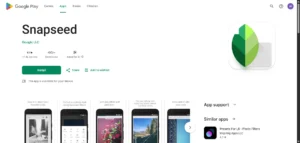
If someone says, “Prasad, I want to edit my photos better on my phone for free,” I always recommend Snapseed. Google created this and made it free forever. There are no subscriptions, no watermarks, and no export limits. It is hands-down the best photo editing app for beginners in India on mobile.
I used Snapseed on my trip to Goa last year. I shot photos with a mid-range Android phone and edited them on the same phone in the evenings. I posted to Instagram that night. The HDR Scape filter worked well on beach sunset shots. The Portrait tool handled skin tones naturally without making everything look over-processed. The selective adjustment brush lets you brighten just one face in a crowd photo. I’ve paid ₹500 a month for this feature in other apps.
The Stacks feature is the hidden gem. It records every edit you make as a stack of adjustments. You can go back later and change just the brightness from step 3 without redoing everything after it. Non-destructive editing on a phone app is completely free. I recommend Snapseed to everyone who asks about mobile editing in India.
29+ Tools & Filters
Selective Brush
100% Free — Always
Portrait AI
My Rating
★★★★★
Best for: Anyone editing photos on a phone in India. Travel creators, Reels makers, students, Instagram users — this is the one app I’d keep even if I could only have one.
RawTherapee — Precision Free Photo Editing App
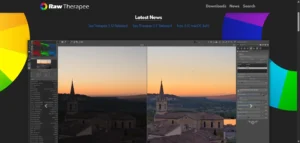
RawTherapee can seem overwhelming at first. It has many panels and unfamiliar sliders. The language used might sound technical. I understand this feeling. I also felt it initially. However, I continued using RawTherapee for two weeks. Professional photographers told me it’s better than Lightroom for certain RAW processing tasks. This is especially true for recovering detail in highlights and shadows.
I decided to test this myself. I took a photo with poor exposure at a wedding in Bengaluru. The sky had blown-out highlights. Dark shadows obscured the subject’s face. RawTherapee’s highlight recovery truly restored sky details. Darktable and even a trial of Lightroom could not match this. The batch processing feature also saved me a lot of time. I applied the same edits to 200 wedding photos at once. This photo editing app is free. It offers a high level of precision. The results are impressive, even if the interface takes some getting used to.
Colour Management
Batch Processing
Highlight Recovery
My Rating
★★★★☆
Best for: Photographers who cover events, weddings, or landscapes. They need precise RAW processing and batch features. Not for casual users.
Photopea — Photoshop in Your Browser, Completely Free
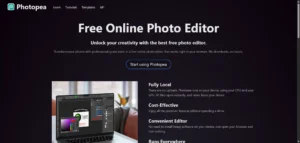
Photopea genuinely surprises people the first time they use it. You open a browser tab. You go to photopea.com. You’re looking at something that looks almost exactly like Photoshop. In a browser tab. For free. I’ve shown this to at least ten people, and every single one has said some version of “wait, this is actually free?”
Photopea runs well on a budget Redmi laptop. This is the kind of laptop many Indian students use. It handled PSD files, layer masks, and adjustment layers without crashing. Photopea solves problems for students needing Photoshop for assignments. It also helps freelancers using client laptops. Travellers without their main computer can also use it. The 2026 version has better AI selection tools. These tools quickly select complex objects like hair and fur. They also work well on detailed edges. Photopea is a top free photo editing app for beginners in India. It offers Photoshop-like workflows.
No Install Needed
Layers & Masks
AI Object Selection
Works on Any Device
My Rating
★★★★★
Best for: Students, freelancers, or anyone using a borrowed or shared computer. The best browser-based free photo editor that exists right now.
Canva — Best Free Photo Editing App for Content Creators
Canva is not a traditional photo editor. This is why it is on this list. It is the fastest and most practical tool for Indian creators. They use it for Instagram posts, YouTube thumbnails, Reels covers, and WhatsApp status images. I use it for article thumbnails and social graphics. It only takes me minutes, not hours.
The free tier is very generous. It includes over 250,000 templates. You get 5GB of cloud storage. The drag-and-drop design feature is easy to use. A background remover is available. There are usage limits for the free background remover in 2026. You can also find direct size presets for Indian social platforms. These include Instagram Reels, YouTube thumbnails, Instagram Stories, and Facebook posts. My friend in Mumbai runs a food page. She used to pay ₹1,200 per month for a design tool. Now she uses Canva for free. She says there is no noticeable difference in output quality. Canva is one of the most beginner-friendly free photo editing apps for beginners in India.
5GB Free Storage
Drag & Drop
Social Media Sizes
BG Removal (limited free)
My Rating
★★★★★
Best for: Social media creators, small business owners, bloggers, YouTubers — anyone who makes graphics regularly and values speed over deep editing control.
Four More Great Free Photo Editing Apps Worth Knowing
These four apps aren’t just runners-up; each one is truly the best choice for a particular editing task. Check which one matches your use case.
Fotor
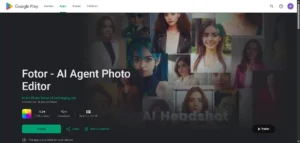
I use Fotor when I need good-looking results in under 30 seconds. The AI-enhanced button is a game-changer. I took a quick product photo in poor lighting for a friend’s Amazon listing. After hitting enhance in Fotor, the result was great—totally ready to post! Batch processing handles multiple photos simultaneously. The free tier’s 4,000 px export limit is fine for Instagram but not for print work. Fotor is a great free photo editing apps for beginners in india and quick social media content. It’s perfect for beginners.
Batch Process
Portrait Retouch
Photoscape X
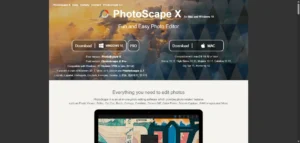
I suggested this to my aunt. She had 300 photos from a family event that needed the same brightness fix. She’d never edited a photo before. Twenty minutes later, she had all 300 done. Photoscape X’s tabbed interface makes batch editing genuinely accessible for beginners. It’s extremely lightweight — runs fast on older laptops and doesn’t demand much RAM. For anyone who needs to make the same fix to many photos at once, this is the right tool. It’s a perfect free photo editing app for beginners who need efficiency over depth.
Batch Editing
Lightweight
Lightroom Mobile
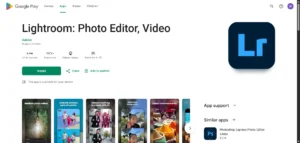
Adobe’s free mobile app is surprisingly good. It offers many features without a paid subscription. You can use RAW support. You can apply presets. Colour grading tools are also available. Masking tools work in the free version. However, cloud sync requires a subscription. This means you cannot back up edits across devices without paying. This app is great for people who already use other Adobe products. The editing experience will feel familiar. The interface is the same as in the paid version of Lightroom. It’s an easy transition.
Presets
Masking Tools
Pixlr E
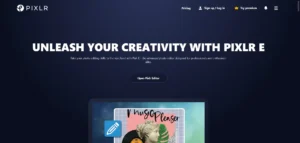
I recommend Pixlr E for those who find Photopea a bit too much but want more than Canva. It sits right in the middle. It’s a Photoshop-inspired browser editor. The cleaner interface makes it easier for beginners to use. The AI background removal works well for product photos and portraits. It loads in under 10 seconds on most browsers. It also handles basic layered edits without requiring any downloads or installations. I tested it on a college student’s 4-year-old laptop, and it ran without issues. A good starting point for anyone learning photo editing in India for the first time.
No Install
Beginner Friendly
All 10 Free Photo Editing Apps — Side-by-Side Comparison
| App | Platform | Best For | Level | AI Features |
|---|---|---|---|---|
| GIMP | Desktop | Photoshop alt | Advanced | Object Select |
| Darktable | Desktop | RAW / Lightroom alt | Advanced | Noise Reduction |
| Snapseed | Mobile | On-the-go editing | Beginner | Portrait AI, Sky |
| RawTherapee | Desktop | Precision RAW | Advanced | Noise Reduction |
| Photopea | Browser | Photoshop in browser | Intermediate | AI Selection |
| Canva | Web + Mobile | Social media graphics | Beginner | BG Remove, Magic Edit |
| Fotor | Web + Mobile | Quick AI edits | Beginner | AI Enhance, Portrait |
| Photoscape X | Desktop | Batch JPEG editing | Beginner | Basic only |
| Lightroom Mobile | Mobile | Adobe ecosystem users | Intermediate | Masking, Denoise |
| Pixlr E | Browser | Quick browser edits | Beginner | BG Removal, Cutout |
Which Free Photo Editing App Should You Start With?
Still not sure? Here’s how I match people in India to the right app based on their actual situation:
For the best laptops to run these apps, check my guide. I’ve listed options for every budget in India, ensuring they all run smoothly.