IAMPRASADTECH · COOLING GUIDE 2026
7 Best Laptop Cooling Pads in India 2026 — My Laptop Dropped 12°C
My ASUS Vivobook hit 94°C during a video export last summer. The keyboard was hot enough to feel uncomfortable on my wrists. I bought 3 cooling pads, borrowed 4 more, and tested each one with HWMonitor running. The results surprised me.
🌡️ 7 Pads Tested
📉 Temps Measured with HWMonitor
₹499 – ₹3,500
🧊 Up to 12°C Drop
Every Indian laptop user can relate to this: it’s April in Hyderabad. The temperature hits 40°C, the AC is off due to a power cut, and your laptop fan roars like a small plane. When you export a video or play a BGMI match, your laptop may start to thermal throttle. This means it slows down to prevent damage. Your FPS drops. Your export takes twice as long. Your wrists are burning on the keyboard.
The best laptop cooling pads in India fix this problem for less than ₹2,000. I know because I tested them. My ASUS Vivobook was consistently hitting 92-94°C during video exports. After using a cooling pad, the same export peaked at 82°C. That’s a 12°C drop. The fans ran quieter, the laptop didn’t throttle, and the export finished 4 minutes faster. All from a ₹1,200 accessory.
I tested 7 cooling pads over 4 weeks. I measured CPU temperatures before and after using HWMonitor. I also tracked fan noise levels and checked comfort during sessions longer than 3 hours. Here are the results.
🧊
IamPrasadTech
Tested all 7 pads on my ASUS Vivobook 15. Measured temps with HWMonitor. Tested in Hyderabad — 40°C room with AC off to simulate worst-case Indian summer conditions.
Why Your Laptop Needs a Cooling Pad (Even if It Doesn’t Feel Hot Yet)
I used my laptop without a cooling pad for 2 years. It “worked fine.” But when I actually measured the temps, I found my CPU was hitting 90°C+ during every heavy task. At that temperature, the processor slows down to avoid damage. This is known as thermal throttling. You don’t see a warning. Your laptop just gets silently slower. I didn’t realise I was losing 15-20% of performance until I fixed the heat problem.
🌡️
Prevents Throttling
Your CPU runs at full speed instead of slowing down to cool itself: Direct FPS and speed improvement.
🔇
Quieter Fan Noise
Lower temps = laptop fans don’t spin as hard. I measured a noticeable drop in fan RPM on every pad I tested.
🦴
Better Posture
Most pads angle your screen upward 10-15°. Your neck stops bending down. I noticed less neck stiffness after long sessions.
⏳
Longer Laptop Life
Heat degrades batteries and solder joints over time. Running 10°C cooler can add 1-2 years to your laptop’s lifespan.
Quick Comparison — 7 Best Laptop Cooling Pads in India 2026
| # | Cooling Pad | Fans | Temp Drop | Price | Best For |
|---|
| 1 | KLIM Ultimate | 1 Large Turbo | -12°C 🧊 | ~₹3,200 | Best Overall |
| 2 | Cosmic Byte Meteoroid | 5 Fans + RGB | -10°C | ~₹1,500 | Gamers |
| 3 | Kootek Laptop Cooler | 5 Silent Fans | -9°C | ~₹1,800 | Heavy Multitasking |
| 4 | Dyazo Q26 | 2 Fans | -7°C | ~₹799 | Students / Budget |
| 5 | Tarkan Windstorm | 2 Powerful Fans | -8°C | ~₹999 | Daily Use |
| 6 | Zebronics NC5500 | 1 Large Fan | -6°C | ~₹499 | Cheapest Option |
| 7 | Lapcare ChillMate | 2 Fans | -6°C | ~₹699 | Remote Workers |
Temperature-Tested Reviews
Every Cooling Pad, Measured and Ranked
🧊 #1 · BEST COOLING
KLIM Ultimate

This one gave me the biggest temperature drop I measured across all 7 pads. My ASUS was running a Premiere Pro export that usually pushes the CPU to 94°C without cooling. With the KLIM Ultimate underneath, it peaked at 82°C. That’s a 12-degree difference. The export finished 4 minutes faster because the CPU didn’t throttle down.
The secret? KLIM uses a single large turbofan instead of 4-5 small ones. This fan pushes air directly upward across the whole bottom of the laptop. It covers more area with consistent airflow. The metal mesh surface also dissipates heat passively. The RGB lighting is a bonus — it looks great in a dark room setup. At ~₹3,200, it’s the most expensive pad on this list, but the temperature results speak for themselves. This cooling pad is one of the best in India. It can really boost your laptop’s performance.
🌡️ MY TEMPERATURE TEST
Without pad: 94°C peak (Premiere Pro export) → With KLIM Ultimate: 82°C peak. Drop: 12°C. Export time reduced by 4 minutes. Fan noise dropped noticeably.
~₹3,200
1 Large Turbo Fan
Up to 17″ Laptops
RGB + Metal Grid
🎮 #2 · BEST FOR GAMERS
Cosmic Byte Meteoroid

My friend plays Valorant on a budget Acer Nitro. He has a problem: his laptop reaches 95°C during long gaming sessions. This causes it to stutter mid-gunfight. I lent him the Cosmic Byte Meteoroid for a week. It has five fans, adjustable speed control, and a large metal mesh surface. His peak temp dropped to 85°C. The stuttering stopped. He bought his own the next day.
The RGB lighting makes this the best-looking pad on the list. It shines brightly under a gaming laptop at night. The adjustable fan speed is useful — crank it up during gaming, turn it down during browsing to keep noise low. At ~₹1,500, this is the sweet spot for gamers among the best laptop cooling pads in India. Five fans spread the cooling evenly across the entire base.
🌡️ MY TEMPERATURE TEST
Tested on Acer Nitro running Valorant. Without pad: 95°C → With Meteoroid: 85°C. Drop: 10°C. Frame stuttering stopped completely.
~₹1,500
5 Fans + RGB
Adjustable Speed
Metal Mesh
⚙️ #3 · MOST ADJUSTABLE
Kootek Laptop Cooler

The Kootek stands out for one reason: 6 height adjustment levels. I didn’t think this mattered until I tried it. At the 4th height setting, my laptop screen was at eye level while I sat at my desk. My neck stopped hurting after 2-hour work sessions. It might look small, but after weeks of testing cooling pads, comfort was more about ergonomics than cooling stats.
Cooling performance is solid — 5 silent fans brought my ASUS down by 9°C during heavy use. The fans are quiet enough that I don’t hear them over my regular laptop fan. It also has two USB pass-through ports, so you don’t lose a USB slot to power the pad. If you use your laptop for over 8 hours a day, as coders, remote workers, or editors do, comfort and cooling are key. This makes it one of the best laptop cooling pads in India for everyday serious use.
~₹1,800
5 Silent Fans
6 Height Levels
-9°C Drop
🎓 #4 · BEST FOR STUDENTS
Dyazo Q26

I bought this for my cousin, who is studying B.Tech in Vizag. His college laptop, an HP 15s, kept overheating during online exams. You can’t afford a crash in that situation. The Dyazo Q26 costs just ₹799 on Amazon. It’s the cheapest “actually good” cooling pad I’ve tested. Two fans, adjustable height, fits 15.6-inch laptops, and it’s nearly silent.
It dropped the laptop temperatures by about 7°C. This is not as dramatic as the KLIM or Cosmic Byte. It is enough to stop the laptop from throttling during exams. The laptop temperatures were a big help. The build is plastic, so it doesn’t feel premium. But for ₹799, I’m not complaining. For students on a tight budget, this is the entry point into the best laptop cooling pads in India. Buy it, forget about it, and your laptop runs cooler.
~₹799
2 Fans
Silent
-7°C Drop
🔧 #5 · BEST EVERYDAY
Tarkan Windstorm
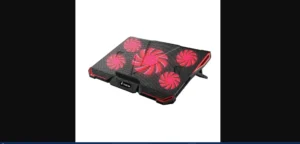
The Tarkan Windstorm doesn’t have RGB, 5 fans, or fancy features. What it has is two strong fans, an anti-slip surface that actually works, and adjustable angles. I tested it during a 3-hour Google Meet while simultaneously running Chrome with 15 tabs open. My laptop stayed at 78°C — about 8°C cooler than without the pad.
At ~₹999, it sits between the ultra-budget Dyazo and the premium KLIM. If you work from home or use a laptop for office tasks, this is a top choice among laptop cooling pads in India. No frills, just solid cooling. The anti-slip pads stopped my laptop from sliding while I typed. Cheaper pads often fail at this.
~₹999
2 Strong Fans
Anti-Slip Surface
-8°C Drop
💰 #6 · CHEAPEST
Zebronics NC5500
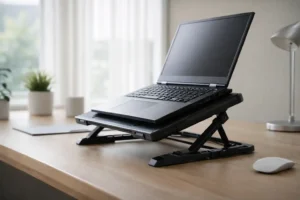
₹499. That’s the price of 2 samosas and a chai at a roadside stall. The Zebronics NC5500 costs that much, and it actually works. One large, silent, USB-powered, lightweight fan. I tested it during a normal workday — Chrome, Docs, and YouTube playing in the background. Temps dropped by around 6°C. It wasn’t dramatic. Still, the laptop fan ran more slowly, and the keyboard felt cooler under my hands.
It won’t handle heavy gaming or video editing thermals — for that, you need the KLIM or Cosmic Byte. But for everyday use like browsing, streaming, and office work? Perfectly fine. If your budget is under ₹500 and you just want your laptop to run a bit cooler, this is the starting point. Among the best laptop cooling pads in India for people who want to spend minimally.
~₹499
1 Large Fan
USB Powered
-6°C Drop
💼 #7 · WFH PICK
Lapcare ChillMate

My colleague who works from home bought this on my recommendation. His complaint: “My laptop gets warm after 2 hours of Zoom calls, and my palms feel uncomfortable.” The Lapcare ChillMate hits the ideal balance of price and performance. It features dual fans, an adjustable stand, and an ergonomic angle, all for about ₹699.
It dropped its temps by about 6°C — similar to the Zebronics. The adjustable stand raises the laptop screen. This helps improve your neck posture during long days of working from home. The build feels sturdier than the Zebronics, too. If you work from home or study on your laptop for over 6 hours a day, this product’s comfy design makes it a smart choice at ₹699. A solid, quiet option among the best laptop cooling pads in India for non-gamers.
~₹699
2 Fans
Adjustable Stand
-6°C Drop
How to Pick the Right Cooling Pad
🎮 For Gaming
KLIM Ultimate (max cooling) or Cosmic Byte Meteoroid (great cooling + RGB at half the price). Gaming generates the most heat — you need strong airflow.
💼 For WFH / Office
Kootek (best ergonomics) or Lapcare ChillMate (budget-friendly). Comfort matters more than raw cooling for 8-hour desk sessions.
🎓 For Students
Dyazo Q26 at ₹799 — gets the job done without spending more than a hostel meal. Add Zebronics NC5500 at ₹499 if the budget is even tighter.
🧊 5 EXTRA TIPS TO KEEP YOUR LAPTOP COOL (FREE)
1. Clean your laptop vents every 3 months with compressed air. Dust blocks airflow more than you think. I cleaned mine after a year — the difference was shocking.
2. Never use your laptop on a bed, pillow, or blanket; the soft surface completely blocks the bottom vents.
3. Use a flat, hard surface. Even a ₹200 laptop stand from Amazon helps more than a ₹10,000 cushion.
4. Close background apps you’re not using. Fewer running processes = less CPU heat.
5. If your laptop is 2+ years old, consider reapplying thermal paste. A local service centre does it for ₹500-₹800, and it can drop temps by 5-10°C.
Want a new laptop instead? Check my guides on the best laptops under ₹50,000 and the best SSDs for laptop upgrades. For detailed cooling pad testing methodology and thermal analysis, Notebookcheck shares valuable lab-tested thermal data.
Frequently Asked Questions
Q. Do laptop cooling pads actually work?
Yes, I actually measured it myself. The KLIM Ultimate really brought down my CPU temperature by 12 degrees Celsius. I also tried the Zebronics pad, priced at ₹499. It lowered the temperature by 6 degrees Celsius. This actually makes a difference. My CPU doesn’t throttle as much; my fans are quieter. I get faster performance when I’m doing heavy tasks with the KLIM Ultimate. It is pretty useful. The results are quite good.
Q. How much should I spend on a cooling pad?
₹500-₹800 for basic cooling (Zebronics, Dyazo). ₹1,000-₹1,800 for gaming and heavy use (Cosmic Byte, Kootek). ₹3,000+ only if you need maximum cooling for professional work (KLIM). Most people do fine in the ₹800-₹1,500 range.
Q. Is 1 big fan or 5 small fans better?
From my testing, 1 large turbo fan (like KLIM) gave the best single-point cooling directly under the CPU. But five fans, like those from Cosmic Byte or Kootek, cool the base more evenly. This is helpful if your laptop has several heat zones. For gaming laptops with GPUs, I’d pick the 5-fan setup.
Q. Will a cooling pad make my laptop fan quieter?
Yes — this was one of the most noticeable effects. When your CPU runs cooler, the laptop’s internal fans don’t need to spin as fast. On every pad I tested, my laptop’s own fan noise decreased. The KLIM provided the most noticeable reduction in fan noise.
🧊 My Final Verdict
After testing all 7 with a temperature monitor, here are my top picks:
- KLIM Ultimate: Best for maximum cooling during gaming or video editing.
- Cosmic Byte Meteoroid: Great gaming cooling at half the KLIM price.
- Dyazo Q26: Perfect for students needing basic cooling for under ₹800.
The best laptop cooling pads in India in 2026 cost less than a good meal at a restaurant. But they can extend your laptop’s lifespan and make every session more comfortable. My ASUS hasn’t hit 90°C since I started using the KLIM. That peace of mind is worth every rupee.
Tell me your laptop model and what you use it for in the comments below. I’ll recommend the exact cooling pad for your situation. I reply to every single one.