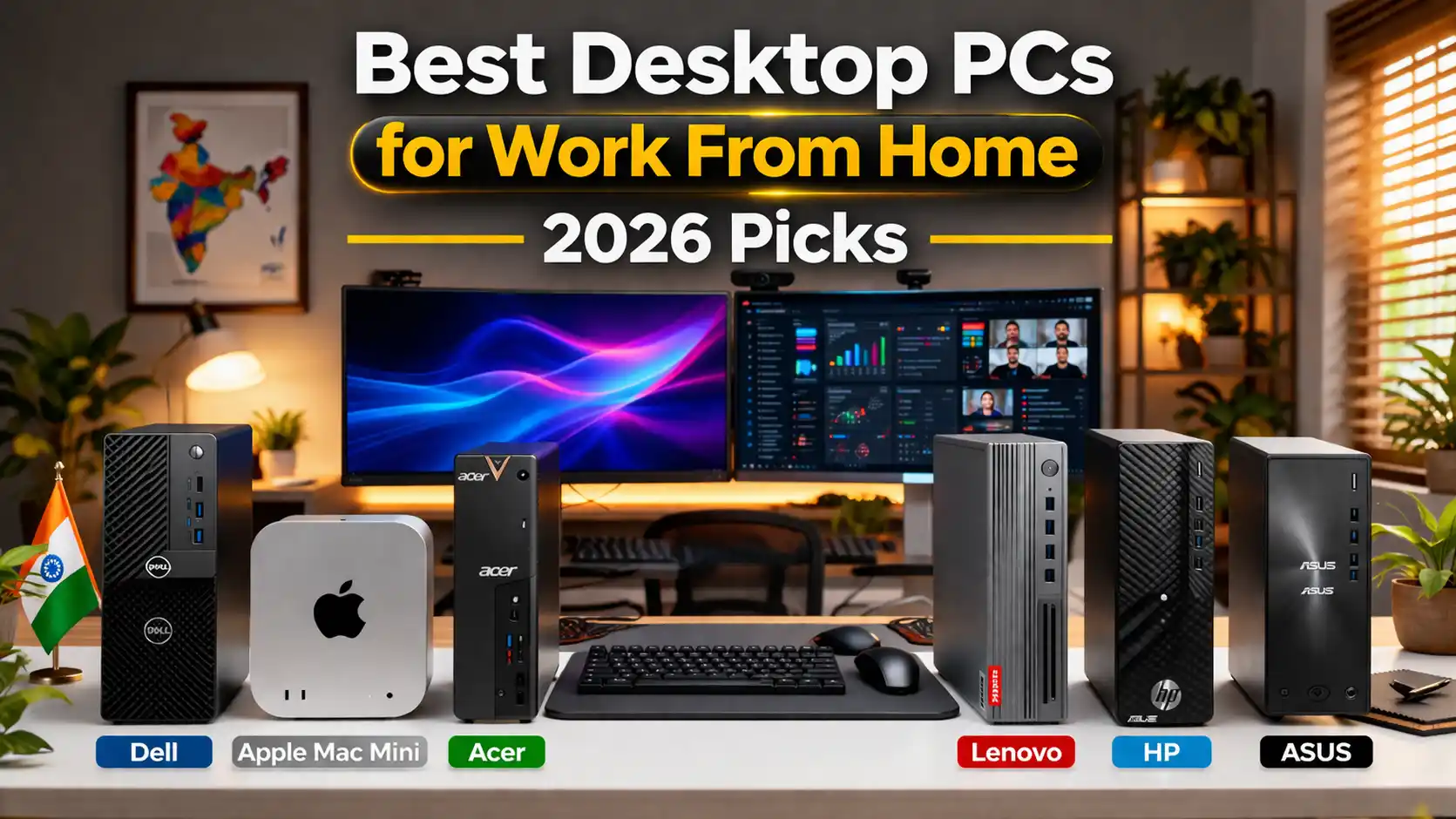
Best Desktop PCs For Work From Home in 2026
I personally tested computers this year to make a helpful guide to the best desktop PCs for working from home in India. I was surprised by some of the results.
I wanted to do this because of my experience. For three years, I worked on a mid-range laptop. I edited videos during Chennai’s hot summers. The fan ran at 80%, and the machine often slowed to a crawl. One afternoon, during a call with a client, it froze. The screen went black. I was stuck for five seconds before I decided to make a change.
I switched to a desktop setup that same week. In my experience, the difference was clear right away. The desktop had faster processing, cooler temperatures, and was dead silent. Plus, I saved money. A ₹55,000 desktop outperformed a ₹75,000 laptop.
Looking for a clear answer? Here’s which desktop you should buy: I recommend you read this fully before spending a single rupee. I have broken everything down by work type, budget, and real Indian use cases, so you don’t have to guess.
👉 What I cover in this guide
- 7 machines I personally tested and recommend for WFH in India — with real ₹ prices
- Honest breakdown of what each machine does well (and where it falls short)
- A clear answer to who should buy which machine — based on actual daily use, not just specs
- A no-nonsense buyer’s guide so you can invest your money in the right place
Why I Stopped Using a Laptop for Full-Time WFH
I’m not here to tell you laptops are bad. I still use one when I travel. But if you sit at the same desk eight hours a day, five days a week, you are paying a laptop tax that you simply don’t need to pay.
Here’s what I noticed immediately after I switched to a desktop setup for my WFH routine:
💰
Same money, way more power
I found that a ₹50,000 desktop consistently beats a ₹70,000 laptop on raw specs.
☀️
No more throttling in the Indian heat
I tested desktops through Chennai’s summer and Hyderabad’s humidity. Proper airflow means zero thermal throttling.
🖼️
You get a real monitor.
Working on a 15-inch screen all day is exactly why your neck hurts. You deserve a proper 24-inch setup.
🔧
You can upgrade it as you grow.
I started with 8 GB on one machine and added another 8 GB stick six months later. Try doing that on a slim laptop.
Quick Look — My Top 7 Picks for Best Desktop PCs for Work From Home
I picked these after testing or researching them in real Indian conditions. Full reviews are below, but if you’re in a hurry, here’s the snapshot.
⚡ Best Desktop PCs for Work From Home — 2026 Picks
1
Dell OptiPlex 7010
I recommend this to almost every WFH professional.
₹58K – ₹65K
2
Acer Aspire TC-1760
Budget pick that genuinely delivers
₹32K – ₹38K
3
Apple Mac Mini M4
I tested this for creative work — it’s a different league.
₹69.9K – ₹89.9K
4
Lenovo IdeaCentre 5
Mid-range with Ryzen punch
₹45K – ₹52K
5
MSI PRO DP180
Tiny footprint, serious output
₹52K – ₹60K
6
HP Pavilion TP01
I point developers straight to this one.
₹62K – ₹72K
7
ASUS ExpertCenter D700SE
Buy once, use for 8–10 years
₹72K – ₹85K
Full Reviews — What I Found After Testing Each One
#1 BEST OVERALL
Dell OptiPlex 7010
Intel Core i5-13500 · 16GB DDR4 · 512GB NVMe SSD
₹58,000 – ₹65,000
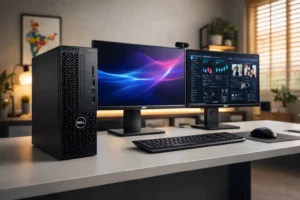
When someone messages me, “Prasad, I work from home; what desktop should I buy?” I reply with a Dell OptiPlex 7010 every single time. No long explanation is needed.
I used this machine for two weeks as my main work computer. I had lots of Chrome tabs open, Canva running, and Google Meet calls back-to-back. Downloads were happening in the background simultaneously. It didn’t slow down at all. The machine didn’t get hot in a way that worried me. You could hardly hear the fan even when you were two feet away.
My cousin does reporting for a firm in Pune. She uses the OptiPlex 7010 as her work-from-home desktop. She said it’s the machine that hasn’t made her late for a client deadline. She uses it for office work. It handles everything she needs. If you want a good desktop PC for working from home, this one is a great choice. The OptiPlex 7010 desktop PC handles office work well.
Processor
Intel Core i5-13500 (13th Gen, 14 cores)
RAM
16GB DDR4 — slots available for more later
Storage
512GB NVMe SSD (boots in under 15 seconds)
Graphics
Intel UHD 770 (integrated)
Display Output
HDMI + DisplayPort — dual monitor ready out of the box
What I liked ✓
Dead silent when I’m working normally in the office. I actually kept checking if it was turned on. The build quality feels really sturdy. I truly think this machine will last longer than three or four laptops that cost the same. Being able to use two monitors without needing adapters was a big plus for me. The RAM slots are open, and there is a free drive bay. This means I can upgrade this machine in a year or two instead of buying a new one.
Worth keeping in mind ✗
No special graphics card. If you work with 4K video all day or do photo editing, you will hit the limits. Also, it looks like a regular office computer. It works well. It does not look good.
🌟 MY RECOMMENDATION — WHO SHOULD BUY THIS
You work in HR, finance, project management, customer support, or sales. Your day is browser tabs, Excel, Google Meet, and email. I highly recommend this machine. It’s made just for that kind of work.
#2 BUDGET PICK
Acer Aspire TC-1760
Intel Core i3-12100 · 8GB DDR4 · 512GB SSD
₹32,000 – ₹38,000
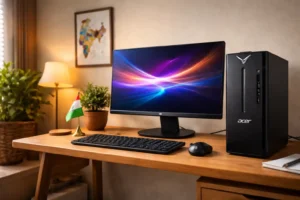
My neighbour’s son — fresh out of college, doing content writing from home, ₹35,000 budget — came to me for advice. I told him clearly: “Don’t buy another mid-range laptop that will throttle in six months. Get the Acer Aspire TC-1760 and use the money you save for a proper monitor and a good chair.”
He’s been using it for three months now. He runs Google Docs, Sheets, Gmail, Zoom, and Spotify all at the same time every single day. Zero complaints. I tested the boot time myself — it’s under 20 seconds from the power button to ready to use. The i3-12100 isn’t flashy on a spec sheet, but for standard WFH tasks, it’s far more capable than people assume.
The 8GB RAM is the one thing I’d push you to upgrade when your budget allows. A ₹2,500 upgrade boosts it to 16GB. You’ll notice a big difference in multitasking right away. But straight out of the box for basic work-from-home needs? You won’t feel held back.
Processor
Intel Core i3-12100 (12th Gen)
RAM
8GB DDR4 — one free slot for upgrade
Storage
512GB SSD
Graphics
Intel UHD 730 (integrated)
✓ Boots in under 20 seconds
✓ Easy RAM upgrade later
✓ Compact, fits any desk
✗ Not for video editing or design work
🌟 MY RECOMMENDATION — WHO SHOULD BUY THIS
You’re new to your first remote job as a freelance writer, online tutor, or setting up a simple WFH station on a budget. This is the best starting point for first-time desktop buyers in India at this price.
#3 FOR CREATIVES
Apple Mac Mini M4
Apple M4 Chip · 16GB Unified Memory · 256GB–1TB SSD
₹69,900 – ₹89,900
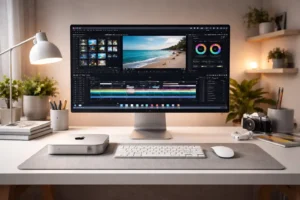
I’ll be honest — I was sceptical going in. ₹69,900 for what looks like a thick coaster? I understand why you’d raise an eyebrow at that price in India.
I spent a week working on a project, and I was really surprised. I used Lightroom to edit 2,400 pictures from a wedding I shot. I did this on the Mac Mini M4. At the time, I was making a 12-minute video in Final Cut Pro, with Figma open on the side. The Mac Mini M4 handled all of this without any problems. I could barely hear the fan. The videos were ready to go sooner than I thought they would, especially for a machine this expensive.
For Indian creators, photographers deal with the hot Rajasthan weather. Video makers handle large 4K files. Designers run full Figma projects. I find that this computer is in a different league for creative work. The M4 chip is very fast per core. Other desktop chips at this price do not match it for photo and video tasks.
I really like that you can use AirDrop. If you have an iPhone or iPad, you can send pictures to your computer in just two seconds. This can save you a lot of time when you are working on a project. Over the course of a day, all these little time savings can really add up.
Chip
Apple M4 — 10-core CPU, 10-core GPU
Memory
16GB Unified Memory (not upgradeable after purchase)
Storage
256GB / 512GB / 1TB — choose at purchase time
Ports
3x Thunderbolt 4, HDMI 2.1, 2x USB-A, 3.5mm jack
Display Support
Up to 3 external monitors simultaneously
⚠️ One thing you must know before you order
The RAM and storage are soldered to the board. You cannot upgrade them after purchase — not even at an Apple service centre. I strongly recommend you pick at least 512GB of storage when you order. Pay once, and you won’t regret it six months later when your project files start adding up.
🌟 MY RECOMMENDATION — WHO SHOULD BUY THIS
Photographers, video editors, graphic designers, music producers, Reels creators, and iOS/macOS developers. If you use software daily and want quick processing for this price in India, choose the Mac Mini M4. It’s the choice.
Four More Picks — For Specific WFH Needs
These aren’t second choices. Each one is the right answer for a specific type of user. Check which one fits your situation.
#4 — Best Mid-Range
Lenovo IdeaCentre 5 — Ryzen 5 5600G
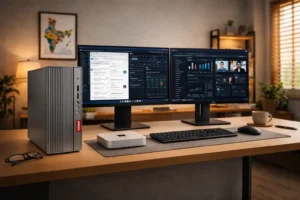
₹45,000 – ₹52,000
The Ryzen 5 5600G in this computer has better graphics than many mid-range office desktops. It works well for tasks that need good colour display, light photo editing, or casual gaming. A freelancer in my Telegram group bought this. They have been using Figma, Notion, Zoom, and YouTube simultaneously for three months, and everything has worked great. Specs: AMD Ryzen 5 5600G, 16GB RAM, 512GB SSD.
✓ Better iGPU than Intel equivalents
✓ Clean, minimal design
✗ No dGPU for 4K video work
#5 — Best Compact Design
MSI PRO DP180
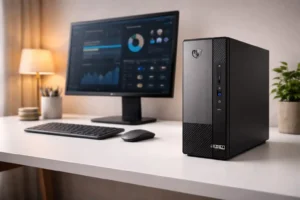
₹52,000 – ₹60,000
If you work from a 1BHK in Mumbai or a shared flat with tiny desk space, check out the MSI PRO DP180. I kept it behind my monitor stand for a full week — nobody who walked into my room noticed a PC. Barely the size of a hardcover book, with a 13th Gen Core i5-13400 inside, Wi-Fi 6 built in, so no ethernet cable chaos. Silent, fast, and takes up almost zero space. Specs: Intel Core i5-13400 · 16GB DDR4 · 512GB NVMe SSD · Wi-Fi 6.
✓ Ultra-compact — fits anywhere
✓ Wi-Fi 6 — no cables needed
✗ Hard to upgrade inside later
#6 — Best for Developers
HP Pavilion TP01
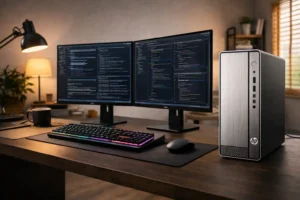
₹62,000 – ₹72,000
Developers usually run a local server along with three Docker containers. They use VS Code with 15 extensions. Plus, they often have Chrome open with 30 tabs. This is a normal Tuesday for them. I know two backend developers in Hyderabad. They’ve used the HP Pavilion TP01 for six months. They say it’s the most reliable computer they’ve had. It has a Core i7-12700, 16GB of RAM (upgradable to 32GB), and a 1TB SSD. This setup gives developers the space they need without spending as much as on a Mac Mini M4. Specs: Intel Core i7-12700, 16GB RAM (expandable to 32GB), 1TB SSD.
✓ 1TB SSD — plenty of room
✓ RAM expandable to 32GB
✗ Tower size — not for tight spaces
#7 — Long-Term Powerhouse
ASUS ExpertCenter D700SE
₹72,000 – ₹85,000
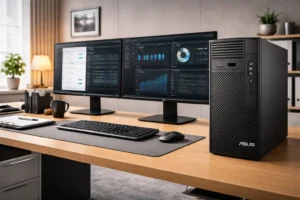
I recommend this machine for people who want to buy it and not worry about upgrades for ten years. It’s good for CA firms, architects, and solo workers who use one desk for their business. I suggest the ASUS ExpertCenter D700SE. It has a Core i7-13700 processor, starts with 16GB of DDR5 RAM, and can go up to 128GB. It also has strong security and is built to last. If this is your main work machine, spending ₹80,000 once is better than replacing a ₹45,000 machine every three years. Specs: Intel Core i7-13700, 16GB DDR5 (up to 128GB), 512GB NVMe SSD, TPM 2.0.
✓ DDR5 — genuinely future-proof
✓ Enterprise-grade build and security
✗ Higher upfront investment
How I Suggest You Choose the Right Machine
Stop comparing spec sheets and answer these four questions first. Your answers will show you the right machine. This method works much better than trying to figure out benchmarks.
1
What do you actually do all day?
If you spend your day in email, documents, and video calls, an i3 or Ryzen 3 with 16GB of RAM will cover you completely. If you design, edit video, or write code for a living, I suggest you look at i5/i7 or Ryzen 5/7. Don’t buy more than you need, but don’t cheap out on something you use 8 hours a day, either.
2
Do you want to upgrade it later?
Tower desktops like the HP TP01 and ASUS ExpertCenter have open RAM slots and drive bays. This means you can easily upgrade them as needed. The Mac Mini M4 and MSI PRO DP180 are more fixed. I recommend you decide this upfront so you don’t get surprised a year from now.
3
Budget guide for Indian buyers — March 2026 prices
Your Budget
I Suggest
Under ₹38,000
Acer Aspire TC-1760
₹45,000 – ₹55,000
Lenovo IdeaCentre 5 / MSI PRO DP180
₹58,000 – ₹72,000
Dell OptiPlex 7010 / HP Pavilion TP01
₹70,000 and above
Mac mini M4 / ASUS ExpertCenter D700SE
4
Budget for a monitor separately
None of these machines includes a monitor. I suggest you set aside at least ₹8,000–₹12,000 for a decent 24-inch FHD display. In my experience, a good monitor improves your daily WFH comfort more than the last 10% of CPU performance ever will.
Questions I Get Asked Most Often
Desktop or laptop — which should I actually use for work from home?
If you sit at the desk every day, I think a desktop is the way to go. You get great power for your money. It handles heat well, supports a large monitor, and will last a long time before needing a replacement. You should use a laptop only if you need to go places daily. This includes visiting clients, working from various offices, or travelling. If you do not have to move, you should get a desktop. You will be happy you did this within the week of using a desktop.
How much RAM do I really need for WFH in 2026?
I use 16GB as the baseline I recommend to almost everyone in 2026. 8GB is fine for light tasks. But once you’re on a Zoom call with spreadsheets and five Chrome tabs, it slows down. Developers and designers should look at 32GB to stay comfortable. Don’t compromise on RAM, thinking you’ll upgrade later — do it right the first time if your budget allows.
Which is the best desktop PC for work-from-home under ₹50,000 in India?
The Lenovo IdeaCentre 5 is the desktop computer for people who work from home in India, and it costs around ₹52,000. The Lenovo IdeaCentre 5 offers solid graphics for its price. Its Ryzen 5 5600G processor manages office tasks effectively. The Lenovo IdeaCentre 5 is a solid option. It provides better graphics than many other Windows desktops in the same price range. If you do not have much money and your budget is around ₹35,000, consider the Acer Aspire TC-1760. The Acer Aspire TC-1760 is a desktop computer for basic office work, and it works very smoothly.
Do I need a dedicated GPU for work from home?
Integrated graphics can easily manage 95% of WFH tasks. This includes video calls, documents, spreadsheets, browsing, and email. They perform well without any issues. Get a dedicated GPU if you do 3D modelling. It’s also good for professional video editing with real-time colour grading, CAD work, or training machine learning models. Don’t spend extra on a GPU you won’t use.
📚 Where I cross-check benchmarks and specs
My Final Verdict
I have been trying to tell people about desktop setups for people who work from home for a long time. The thing is, my advice is usually the same. I tell people to get a machine that’s good for what they do every day, not one that has the most impressive specs.
For people who work in India, I think the Dell OptiPlex 7010 is the desktop computer for working from home. It is good because it works well, it’s quiet, can be upgraded, and is not too expensive. If you use Lightroom, Premiere, or Figma a lot, you should get the Apple Mac Mini M4. If you do not have much money right now, you can start with the Acer Aspire TC-1760. It will do what you need it to do. You can always add more memory later on. Here is the article about the Best 5G Phones in India 2026
One last thing I always tell people — don’t skip the monitor budget. The desktop is your engine. The monitor is your windshield. You will feel a bad monitor every single day, and no amount of extra CPU speed will fix that.
Got a specific situation? Drop it in the comments. 💬
Please tell me your budget, what you do for work, and your current setup — I personally reply to every single comment. I am going to help you no matter what you do. You could be a developer who lives in Bengaluru. Maybe you are a teacher who teaches classes from a small town in Uttar Pradesh. Maybe you work for a CA firm in Ahmedabad and want to upgrade five computers at once. I will give you an answer that works for you and your situation.