15 Best Android Apps in 2026
You Absolutely Must Download
I’ve installed, tested, and used every single app on this list on my own Android phone—no paid placements. No fluff. Just 15 apps that genuinely earn their screen space.
15 apps tested
free or one-time pay
updated March 2026
Every few months, I clean up my phone and decide which apps actually stay. The ones that survive that cleanup are the ones you’ll find on this list. The top Android apps in 2026 aren’t just the most popular; they truly solve problems. They won’t drain your battery, steal your data, or overwhelm you with notifications.
I picked these 15 because they touch on everyday life. They help you be productive, stay secure, be creative, care for your health, and have fun. Some of these are really well-known. Some are hidden gems that many people do not know about. The apps are all worth installing. One thing I’ll say upfront — I don’t recommend apps I haven’t used myself. Each description below shows how I really use the app, not just what the Play Store says. Are you interested in downloading an app that might be useful for you? Best Mobile Apps In India
📋 Quick Index — All 15 Apps
01 Nova Launcher Prime
02 Bitwarden
03 TickTick
04 Brave Browser
05 NotebookLM
06 LocalSend
07 Microsoft SwiftKey
08 Canva
09 MyFitnessPal
10 Raindrop.io
11 Tasker
12 VLC Media Player
13 Habitica
14 Google Keep
15 URLCheck
BATCH_01 // CUSTOMIZATION + SECURITY
APP_01
Nova Launcher Prime
ONE-TIME PAY
★ 4.5
🎨 CCustomizationAndroid Exclusive
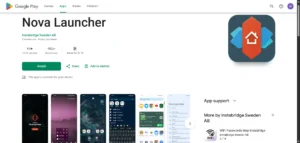
The first thing I do when I get a new Android phone is install Nova Launcher Prime. I’ve done this on every Android device I’ve owned since 2018. Most phones, like Samsung, Xiaomi, and Realme, come with a default launcher. It works fine, but Nova lets you truly customise how your phone looks and operates.
I changed my icon grid to 5×6. I set up a swipe-up gesture to open the app drawer. I also turned off the Google search bar since I never use it. Lastly, I made my dock icons a bit larger. It takes about 10 minutes to set up once, and your phone looks and feels genuinely customised after that. This is something iOS users simply cannot do — and it’s one of the strongest arguments for Android.
What I use it for daily: Custom home screen gestures, adjusting icon sizes, and hiding unused apps from the app drawer without uninstalling them.
↗ Download on Google Play
🔐 Security
Zero-Knowledge Encryption
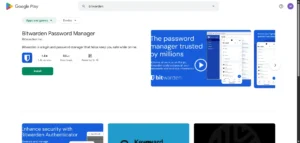
I switched to Bitwarden two years ago. My email was compromised because I used the same password on three sites. That was an unpleasant afternoon of changing passwords everywhere. I never want to repeat it. Bitwarden keeps all my passwords safe. It creates strong, unique ones for each new account. Plus, it fills them in automatically when I open an app or website.
Bitwarden shines compared to 1Password and LastPass. It’s completely free and open-source. The code is public — security researchers audit it regularly. Zero-knowledge encryption means that even Bitwarden’s servers can’t see your passwords. I’ve tried both the free and premium versions. The free one works for most people’s needs.
Honest note: There’s a small learning curve in setting it up properly on a new phone. It takes about 15 minutes. Worth every minute of it.
↗ Download on Google Play
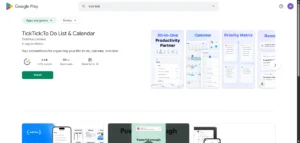
I’ve used seven task manager apps: Todoist, Any.do, Microsoft To Do, Notion, and Google Tasks. I keep coming back to TickTick. This app combines task lists, a calendar view, habit tracking, a Pomodoro timer, and offline sync. It’s the most complete productivity app I’ve found for Android.
I often use the natural language input. I type “Call dentist tomorrow 4 pm,” and it makes a task with the correct date and time—no tapping through menus. Offline functionality lets me access my tasks, even on the Mumbai local without a signal. Cloud-only apps like Notion can’t offer this.
Free vs Premium: The free version handles basic task management fine. Premium adds calendar subscription sync and some advanced filters. I use the free version, and it covers everything I need.
↗ Download on Google Play
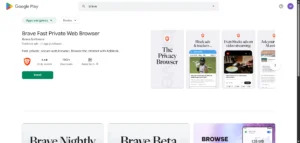
I switched from Chrome to Brave about 18 months ago. The first thing I noticed was that pages load much faster. This is because ads and tracking scripts don’t load at all. I don’t need an ad-blocker extension because blocking is built in by default.
The Tor mode for private browsing sends your traffic through several servers. This allows for truly anonymous browsing, and you don’t need to install a separate VPN app for casual use. Battery life improved slightly after switching because fewer scripts run in the background.
↗ Download
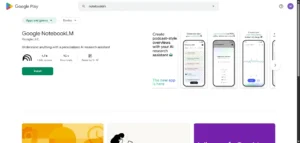
Google’s NotebookLM is the most practical AI app I’ve used on Android. I upload a PDF — a product manual, a research paper, meeting notes — and then I can ask it questions in plain language. “What are the key points in section 3?” or “Summarise this for me in 5 bullet points.”
For students, especially, this is extraordinary. Upload your textbook chapter and quiz yourself using the AI before an exam. It also creates audio overviews. You can listen to these podcast-style summaries during your commute.
↗ Download
BATCH_02 // TOOLS + CREATIVITY
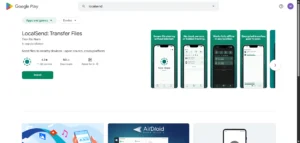
LocalSend is the one app I install on every device I own — Android phone, Windows laptop, MacBook. It transfers files between any combination of devices over a local Wi-Fi network. No cables, no cloud, no subscription. I create content for IamPrasadTech on my phone and laptop all the time. LocalSend quickly transfers photos, videos, and documents between the two devices.
The transfer speed is limited only by your Wi-Fi router — on a good home network, I get 50-80 MB/s transfers. Moving a 2 GB video from phone to laptop takes about 30 seconds—whatsApp compresses videos. Google Drive uploads them first, then lets you download them. LocalSend is faster and doesn’t touch your files.
Works between
Android · iPhone · Windows · Mac · Linux
File size limit
No limit — your router is the only constraint
↗ Download on Google Play
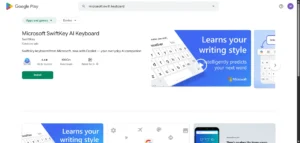
I switched from Gboard to SwiftKey. SwiftKey learns my writing patterns better over time. After a few weeks of use, the autocorrect and next-word predictions feel personal. It understands that I often write about tech and suggests fitting terms.
Swipe typing is the smoothest I’ve used on any keyboard. The clipboard history feature saves all my copies for later. It saves me several minutes each day by reducing the need to copy and paste. There is good support for typing in both English and Hindi on the same keyboard.
↗ Download
★ 4.7 · FREE + Pro · Design
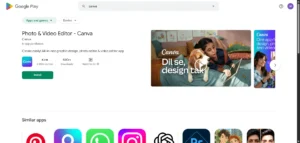
I use Canva on my phone a lot more than on my desktop now. I make Instagram posts, YouTube thumbnails, presentation slides, and event invitations all from my phone. The Canva templates are really good-looking. It takes me about five to ten minutes to customise the Canva templates.
The free version has enough templates for most people. The Pro plan adds access to premium elements and the background remover tool. I’ve used the background remover for product photos. It works great and doesn’t require another editing app.
↗ Download
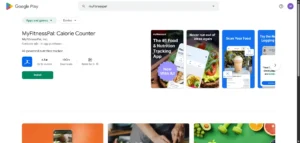
I started using MyFitnessPal to track my food. I gained weight during a slow monsoon season. I use the barcode scanner the most. It scans any packaged food from Swiggy Instamart or BigBasket. Then, it automatically pulls up the nutrition info. The database has over 14 million foods, including many Indian dishes.
The app connects with fitness trackers and syncs step data automatically. Seeing your calorie balance—calories eaten minus calories burned—can be really motivating. I lost 5 kg over 4 months using just the free version’s calorie tracking. Nothing more complicated than that.
Honest note: The free version limits the macro breakdown view over time. Premium is ₹999/month, which feels expensive. The free calorie counter alone is enough for most people starting out.
↗ Download on Google Play
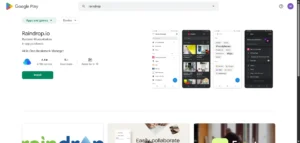
I’m always saving things to read later. I save cool tech articles, YouTube videos, and product pages I want to check out again. Without an app like Raindrop, these get buried in browser history and forgotten. Raindrop lets you organise collections as you like. I have folders for tech articles, phone reviews, content ideas, and tools.
Reader mode removes ads and clutter. It presents the article in a clean format. You can also read it offline after saving the article. The browser extension and Android app sync right away. If I save something on Chrome on my laptop, it shows up in Raindrop on my phone in seconds. You want this type of cross-device consistency in a save-for-later tool.
↗ Download on Google Play
PAID — ₹300 ONE-TIME
★ 4.2
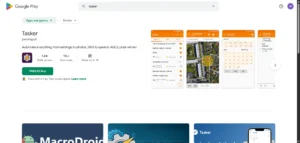
Tasker is not for everyone. I want to be clear about that upfront. It has a steep learning curve and takes time to set up properly. Once you see how it works, it’s the most powerful automation tool on any mobile system, not just Android.
Every day, I use Tasker to automate my phone. It switches to vibration mode when I reach my office’s GPS coordinates. It starts playing a specific Spotify playlist when I connect my earphones. It turns off mobile data at 11 pm and turns it back on at 7 am. It sends an automated WhatsApp reply when my battery hits 10%. This warns people that I may not respond.
Is it worth buying?
At ₹300 one-time — yes, if you’re a power user who uses your phone intensively. No, if you want basic features. You can find hundreds of ready-made Tasker profiles online. Just import them instead of starting from scratch.
↗ Download on Google Play
★ 4.3 · FREE · Open Source
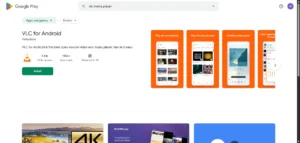
VLC has been around for over 20 years. It does one thing best: it plays every video and audio format without needing conversions. MKV, AVI, FLAC, MOV, FLV — VLC handles all of them.
No ads. No tracking. No subscription. Supports up to 8K resolution. Has gesture controls — swipe up on the left side to adjust brightness; swipe up on the right side to adjust volume. I use VLC for offline videos. It works well for files that other players can’t handle.
↗ Download
★ 4.7 · FREE · Habit Building
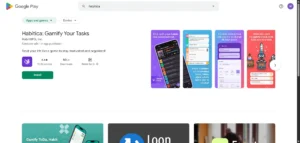
Building habits is genuinely hard. I’ve tried habit trackers that are just plain checklists — I forget to open them after three days. Habitica works differently because it turns your daily habits into a role-playing game. Complete your habits, gain experience points, and level up your character.
I set up habits to drink 2 litres of water daily, walk for 30 minutes, and complete my morning content writing. The game is fun because of its mechanics. These include things like experience points, equipment rewards, and character progression. They make you want to keep playing. This might sound silly. It works when you do it every day for the first time in a long time, like a few months. The game mechanics, such as experience points and character growth, keep you motivated.
↗ Download
★ 4.0 · FREE · Quick Notes
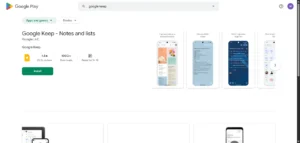
I use Google Keep as my quick capture tool for ideas. When I think of something I don’t want to forget, like a content idea or a grocery item, I open Keep. I type it in, and it’s saved in 5 seconds. The widget on my home screen makes this even faster.
Voice notes are great for driving or cooking. Just tap the microphone, say your note, and it saves automatically. Colour coding and labels keep things organised. Everything syncs across all my Google devices instantly.
↗ Download
↗ Download
★ 4.4 · FREE · Link Safety
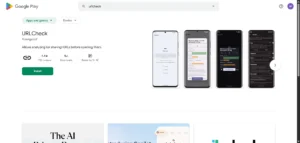
URLCheck is the app on this list that most people don’t know about — and the one I wish more people used. Now, when I tap a link on my phone, URLCheck intercepts it. It shows me the full, unshortened URL. It strips tracking parameters, too. Then, I can choose which app to open it in.
Indian WhatsApp users often get shortened links from family groups. Many of them are legitimate, but enough aren’t. URLCheck includes a 2-second safety check. This feature has caught many suspicious redirects on my phone over the past year. It’s free, open-source, and genuinely protective.
↗ Download
Frequently Asked Questions About the Best Android Apps in 2026
Are these the best Android apps available for free?
Most of them are completely free. Nova Launcher Prime and Tasker have one-time paid prices of approximately ₹300 each. Everything else on this list is free to download. Some apps, like TickTick, Canva, and MyFitnessPal, offer premium tiers. However, their free versions work well for daily use.
How do I know if an Android app is safe to download?
I always download from the official Google Play Store — never from third-party APK websites. I check the developer name, number of downloads, last update date, and read a few 3-star reviews, which tend to be the most honest. Every app on this specific list is well-established with millions of active users.
Will these best Android apps work on my phone?
I keep around 25-30 apps that I actively use. If you install too many apps, you may lose track of what’s on your device. Battery drain can increase from background processes. Plus, storage can fill up with apps you haven’t used in months. The quality of apps matters far more than quantity. A few genuinely useful apps will always beat 80 apps that you open once a month.
How many apps should I actually have on my phone?
I keep around 25-30 apps that I actively use. More than that, and you start losing track of what’s installed, battery drain increases from background processes, and storage fills up with apps you haven’t touched in months. The quality of apps matters far more than quantity. A few genuinely useful apps will always beat 80 apps that you open once a month.
Final Thoughts on the Best Android Apps in 2026
The best Android apps in 2026 share one quality — they respect your time, your privacy, and your battery. None of the 15 apps on this list spam you with unnecessary notifications, run shady background processes, or demand permissions they don’t need.
Android is really good because you can make it look and work the way you want. This is something that iOS does not do well. You can use apps like Nova Launcher, Tasker, and Bitwarden to make Android do things that iPhones can not do. You should use these apps to make your phone work better for you.
Your phone is supposed to make your life easier, so you should be able to make it do what you want. Android lets you do this, so take advantage of it. Android is a choice because you can customise it a lot.
Which of these have you already installed? Is there an app you think should be on this list that I missed? Drop it in the comments — I read and reply to every single one. 👇
📱 Also Read
How to choose the right smartphone in 2026
Read Now →